
Table of Contents
In today’s fast-moving digital world, managing tasks and teams effectively is a daily challenge. That’s where tools like Intramo step in. If you’re looking for a simple, all-in-one productivity app, this Intramo app review will help you understand whether it’s truly worth your time. We tested its features, read user reviews, and compared it with top competitors so you don’t have to.
What Is Intramo?
1. Core purpose
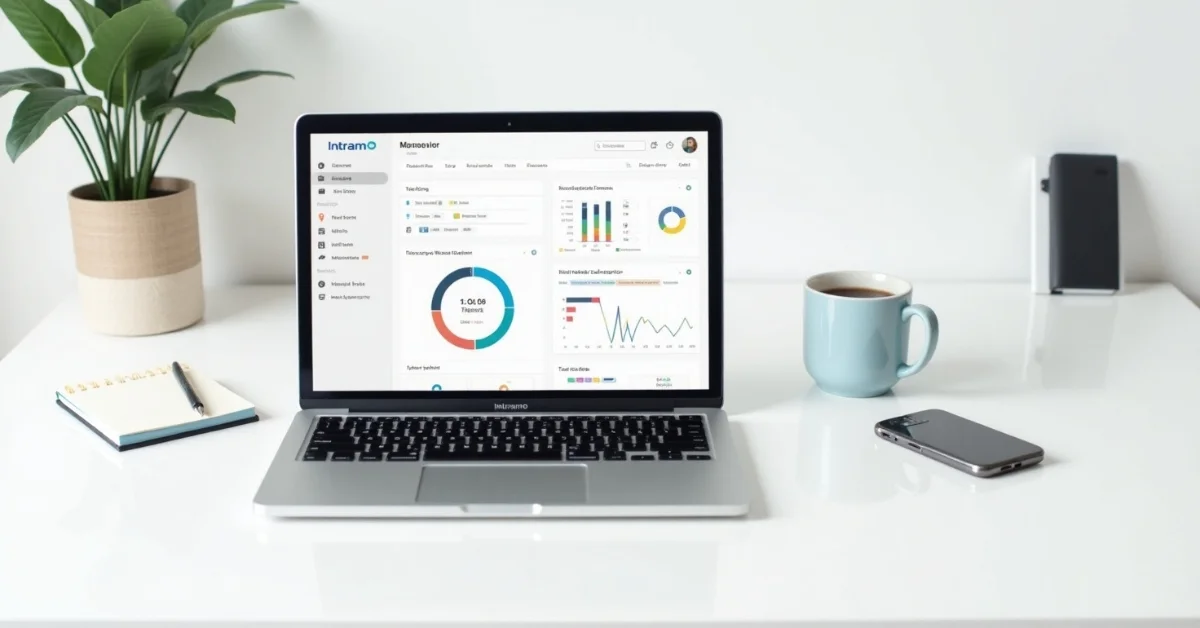
Intramo is a productivity and task management app designed to help individuals and teams stay organized. Its main goal is to simplify daily work, whether it’s assigning tasks, tracking progress, or communicating with teammates. It brings everything together in one clean dashboard, saving time and reducing confusion. With real-time updates, project timelines, and shared to-do lists, Intramo aims to help users work smarter, not harder.
2. Who is it for
Intramo is built with flexibility in mind. It’s ideal for freelancers juggling multiple clients, small teams needing smooth collaboration, project managers handling complex tasks, and remote workers who want structured workflows. Whether you’re planning a personal project or managing a growing business, Intramo adjusts to your pace.
Getting Started With Intramo
If you decide to give Intramo a try, getting started is quick and hassle-free. Signing up takes only a minute, and the onboarding process is simple enough for anyone to follow. Once inside, the app offers a guided tour that helps you explore the key tools like task creation, calendar sync, and team invites. You don’t need to spend hours watching tutorials; everything is self-explanatory. This smooth start is perfect for beginners or busy professionals who want to dive right into productivity without a steep learning curve. The app also allows easy import of existing task lists from other platforms, making the switch seamless if you’re moving from another productivity tool.

Key Features of Intramo
1. Task organization
Intramo shines when it comes to organizing tasks. Users can create task lists, set deadlines, prioritize items, and assign tasks to team members with just a few clicks. The drag-and-drop system makes managing workflows simple, even for beginners.
2. Team collaboration
The app supports real-time collaboration by letting team members comment on tasks, share updates, and tag others when needed. This keeps everyone aligned without the need for endless email chains or third-party chat tools.
3. Notifications & reminders
You’ll never miss a deadline with Intramo’s smart notifications and timely reminders. These alerts help users stay on track, reduce delays, and keep project momentum going.
4. Mobile & desktop versions
Intramo is available on both mobile and desktop platforms. Whether you’re at your desk or on the go, you can access your tasks, update your team, and manage your schedule from anywhere.
Pros and Cons
1. What users love
One of the most appreciated things about Intramo is its user-friendly interface. It’s clean, fast, and easy to understand even if you’re not tech-savvy. Users also love the app’s smooth integrations with tools like Google Calendar, Slack, and Dropbox. This means fewer clicks and more productivity.
2. What needs work
No app is perfect, and Intramo has its share of areas for improvement. Some users have reported occasional syncing delays when switching devices. A few feel that certain advanced features, like automation or analytics, are still limited or need more refinement. Overall, the experience is good, but there’s room to grow.
User Experience & Interface
1. Ease of navigation
Navigating through Intramo is intuitive. Menus are clearly labeled, and the learning curve is minimal. First-time users can usually get started without needing a tutorial.
2. Visual appeal and design
The design is modern and minimalistic, using soft colors and simple layouts. It avoids clutter, which makes it easy on the eyes and encourages longer use sessions without feeling overwhelmed.
Performance & Reliability
1. Response time
Intramo performs well under normal use. The response time is fast, and switching between tasks or pages feels smooth. This is key for people managing multiple projects at once.
2. Bug handling and updates
The development team behind Intramo releases regular updates. Most bugs reported in user reviews are minor and quickly fixed in the next release. That shows a strong commitment to quality and user satisfaction.

Pricing Plans
1. Free vs Paid versions
Intramo offers a basic free version with limited features, perfect for solo users or those just testing the platform. Paid plans unlock more advanced features like project templates, advanced reporting, and team-level controls. The Pro plan is suitable for teams, while the Enterprise version supports larger organizations with custom needs.
2. Is it affordable?
Yes, the pricing is competitive compared to other productivity apps. The paid tiers offer good value for the features provided. It’s a small investment for those serious about better time management and team collaboration.
User Reviews & Ratings
1. What people are saying?
Intramo has earned mostly positive reviews on app stores and tech platforms. Users praise its speed, organization tools, and ease of use. The average rating ranges between 4.2 and 4.6 out of 5, depending on the platform. Users especially like the no-nonsense design and the fact that it “just works” without unnecessary distractions.
How It Compares to Alternatives
1. Similar apps overview
Intramo competes with big names like Trello, Asana, and Notion. Trello offers great visual boards, Asana focuses on team workflows, and Notion gives flexible pages and databases.
2. Unique selling points
What sets Intramo apart is its balance between simplicity and function. While Trello and Notion can get overwhelming, Intramo keeps things minimal while still offering powerful features. It’s especially good for users who want structure without too much complexity.
Final Verdict
1. Who should use it?
If you’re a freelancer, small business owner, project manager, or remote worker looking for a practical, clutter-free productivity app, Intramo is worth trying. It’s easy to use and scales as your needs grow.
2. Is it worth your time?
Yes, for most users, Intramo is a solid productivity tool. It offers great value, clean design, and enough power to help teams and individuals stay on track. While it’s not the most feature-rich option on the market, its strength lies in its simplicity and reliability.
FAQs
1. Is Intramo free to use?
Yes, there’s a free plan with basic features, and paid options are available if you need more control and collaboration tools.
2. Can I use it offline?
Currently, most features require an internet connection. Offline functionality is limited but expected to improve in future updates.
3. Is it secure for team projects?
Yes, Intramo uses industry-standard security protocols to keep your data safe. Team data is encrypted and stored securely.