
Table of Contents
- Why Track Trends and Analytics?
- YouTube Trends in 2025
- Tools for Tracking Trends
- Content Planning with Trend Forecasting
- Setting Personalized Alerts
- Tracking Competitor Channels
- Understanding Analytics Updates
- What’s new in analytics?
- Using Trends and Analytics Together
- Case Study: Small Channel Growth
- Format Testing for Growth
- Optimizing Titles and Thumbnails
- Cross-Promoting Trend Content
- Leveraging Audience Feedback
- Avoiding Analytics Overload
- Ethical Trend Usage
- Mixing Evergreen and Trend Content
- Beginner Tips
- The Future of Trends and Analytics
- FAQs
- 1. How often should I check analytics?
- 2. Can small channels grow with trends?
- 3. What’s the key metric for growth?
- 4. Are external tools necessary?
- 5. What’s the “Inspiration” tab?
- 6. Why measure Shorts “Engaged Views”?
- 7. How do I know if a trend fits my channel?
- 8. Can data-driven changes grow subscribers?
- Final Thoughts
YouTube is one of the fastest‑changing platforms, and creators who keep up with its updates often get ahead. If you want your videos to reach more people and grow your channel, it’s important to track YouTube trends and analytics updates today. By understanding what’s popular, how your audience behaves, and which tools YouTube offers, you can make smarter decisions every time you upload.
Why Track Trends and Analytics?
Trends reveal what people want to watch; analytics show how your videos perform. Together, they give you a clear roadmap for growth.
- Spot audience interests: Find topics people are already searching for.
- Measure performance: Learn which videos keep viewers engaged.
- Plan smarter: Use data to guide what you create next.
- Build loyalty: Channels that adapt to insights grow faster over time.
YouTube Trends in 2025
YouTube replaced the old Trending tab with category-specific charts that help you track what’s popular in your niche.
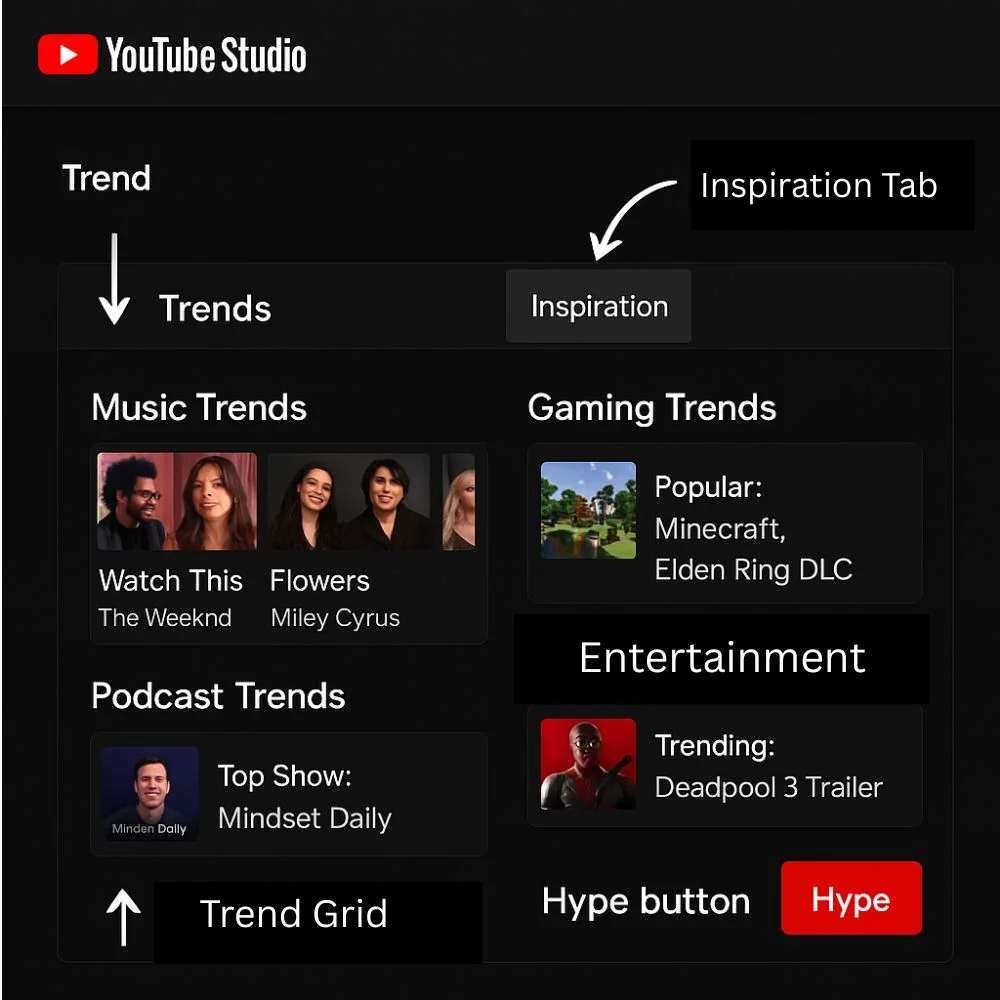
Trend charts now include:
- Music: Top videos and trending artists.
- Gaming: Popular games and rising creators.
- Podcasts: Weekly top shows.
- Entertainment: Movie trailers and cultural highlights.
A new Inspiration tab in YouTube Studio shows topics gaining traction with your audience, while the Hype feature allows fans to promote videos they enjoy, giving creators an extra boost.
1. Why it matters?
Even small or niche channels can catch early trends and grow by posting timely, relevant content.
Tools for Tracking Trends
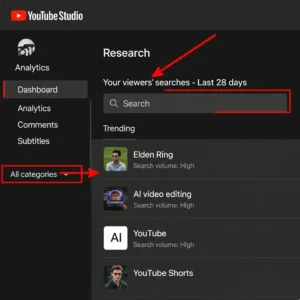
1. YouTube’s own tools
- Trends Tab: Displays what your audience has searched for in the past 28 days.
- Explore Charts: Shows trending videos by category.
- Inspiration Tab: Offers AI-powered suggestions for new content ideas.
2. External tools
- Google Trends: Tracks search interest, including YouTube-specific queries.
- Social listening platforms: Hootsuite, SocialInsider, and others monitor topic popularity.
- Communities: Reddit and niche forums often spot rising trends early.
- Pro tip: Combine YouTube’s data with external tools to predict upcoming waves.
Content Planning with Trend Forecasting
Reacting to trends is good, but forecasting trends is even better. Use Google Trends to find topics that are gaining interest weeks before they peak.
For example, if “AI video editing” shows steady growth, plan multiple video formats around it, an in-depth tutorial, a quick Shorts explainer, and a comparison guide. Scheduling in advance lets you launch your content just as the trend hits its peak, maximizing reach.
Pair this with YouTube’s Explore charts; if a topic shows consistent upward momentum, invest in multiple uploads around it. This approach turns your channel into a reliable source for trending topics.
Setting Personalized Alerts
Instead of checking trends manually every day, set up Google Alerts or use free tools like VidIQ and TubeBuddy. These tools send notifications when a new topic starts trending in your niche.
You can also join relevant Reddit communities or add trending subtopics to your RSS feeds. Staying notified means, you can react faster and post content ahead of your competition.
Tracking Competitor Channels
Watching your competition can give you fresh ideas and show what’s working in your niche.
- Study top videos: Look at their most viewed uploads to see what topics and formats are performing well.
- Check posting patterns: Notice how often they upload and at what times.
- Learn from engagement: See what types of content get the most likes, comments, and shares.
1. Why it matters
Competitor insights help you spot gaps where you can create even better or more unique content, keeping your channel competitive.
Understanding Analytics Updates
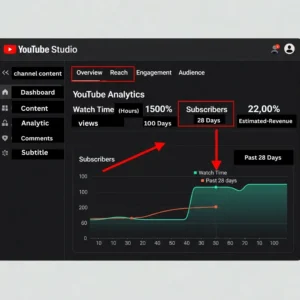
Trends show what’s hot; analytics reveal how your videos are performing. YouTube Studio offers detailed insights across five sections:
- Overview: Views, watch time, subscriber growth.
- Reach: Impressions, click-through rate (CTR), and traffic sources.
- Engagement: Average view duration and watch time.
- Audience: Demographics, returning vs. new viewers, and peak activity times.
- Revenue: Earnings and top-performing videos for monetized channels.
What’s new in analytics?
- Shorts “Engaged Views”: Measures meaningful interactions, not just quick swipes.
- Detailed audience breakdowns: Insights on devices, age, and loyalty.
- Advanced Mode improvements: Compare performance, filter data, and export reports.
- Updated monetization rules: Reused or low-effort content may lose ad eligibility.
- Livestream updates: Creators must be 16+ to host solo streams.
- AI-powered tools: Suggest better titles, thumbnails, and content ideas.
Using Trends and Analytics Together
Trends tell you what to create; analytics show how your content connects with viewers. Follow this daily routine:
- Check trends: Use Studio’s Trends tab and Explore charts.
- Verify interest: Confirm rising topics with Google Trends.
- Plan and create: Choose trends that fit your niche.
- Track performance: Keep an eye on impressions, click‑through rate, and watch time during the first two days after upload.
- Review engagement: Analyze retention and audience behavior.
- Adjust content: Improve pacing, titles and thumbnails based on data.
- Repeat weekly: Regular checks build long-term growth.
Case Study: Small Channel Growth
A small travel vlogger noticed “hidden beaches in Thailand” climbing in Explore charts. Google Trends confirmed searches were doubling weekly. She quickly posted a “Top 5 Hidden Beaches” video and a 30-second Shorts teaser.
1. Results
The full video gained a 6-minute average watch time (+40%), and subscribers grew by 20% over two weeks. By spotting the trend early and posting multiple formats, she expanded her audience significantly.
Format Testing for Growth
Experiment with different formats, Shorts, full-length videos and lists. Use analytics to see what works best. If Shorts bring in high CTR but low watch time, consider creating longer videos on the same topic to keep viewers engaged longer.
Optimizing Titles and Thumbnails
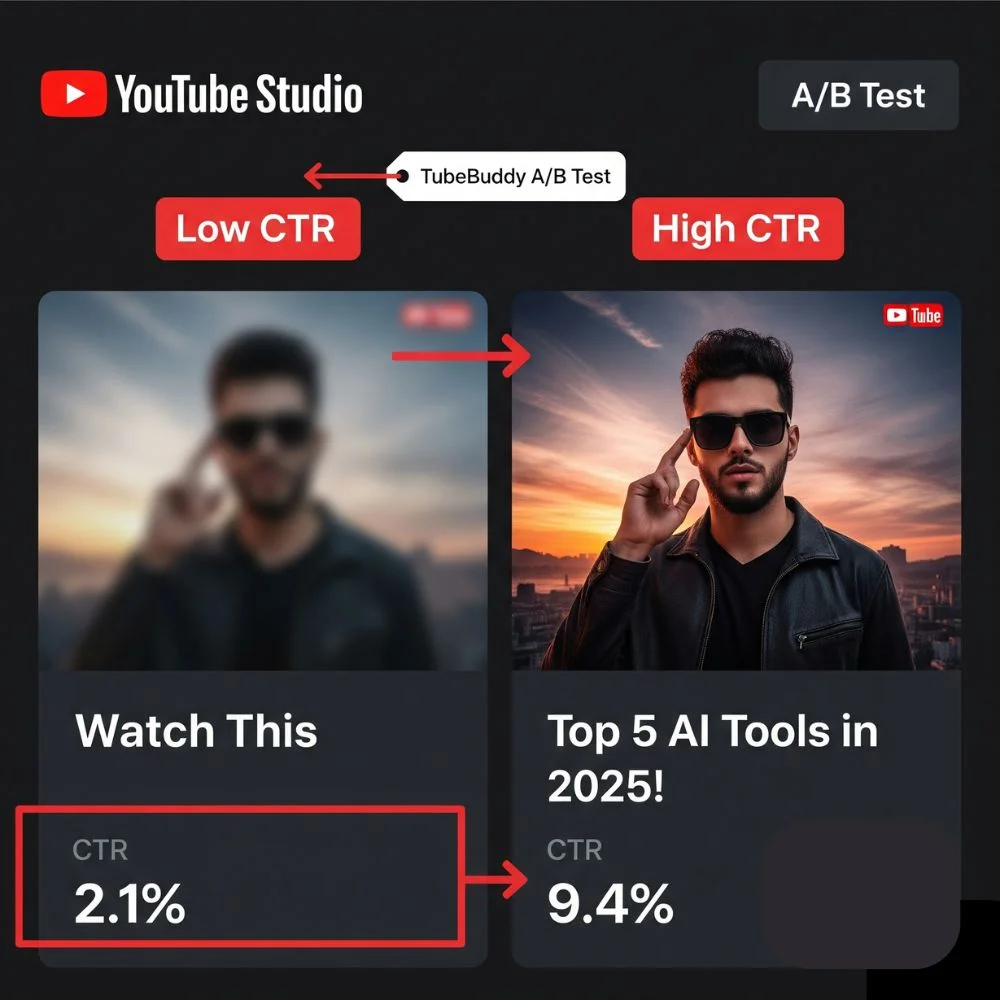
Your title and thumbnail decide whether viewers click. Add trend-related keywords early in the title and use clear visuals that connect directly to trending topics.
Run A/B tests in YouTube Studio or tools like TubeBuddy to see which versions improve CTR and retention.
Cross-Promoting Trend Content
Promote trending-topic videos on other platforms like Instagram, TikTok and X/Twitter. Track traffic sources in YouTube Studio to measure the impact. Cross-promotion helps maximize exposure and drive new viewers to your channel.
Leveraging Audience Feedback
Analytics show numbers, but your viewers can tell you why those numbers look the way they do. Pay attention to what your audience says in comments, polls and community posts.
- Read comments: Learn what they enjoyed or what confused them.
- Ask with polls: Let viewers vote on what they want next.
- Look for repeated questions: Use them as ideas for future videos.
1. Why it matters
When viewers notice you value their feedback, they feel more engaged with your channel. This often leads to more loyal subscribers and better video performance.
Avoiding Analytics Overload
Analytics can feel overwhelming. Focus on three key metrics:
- CTR (how many people click your video)
- Average view duration (how long they watch)
- Returning viewers (loyal audience growth)
By narrowing your focus, you’ll make better decisions without getting lost in data.
Ethical Trend Usage
Trends can drive growth, but originality matters. Always add your own take or value to avoid copyright issues and meet YouTube’s monetization standards. Avoid clickbait, misleading titles may boost clicks but hurt retention and trust.
Mixing Evergreen and Trend Content
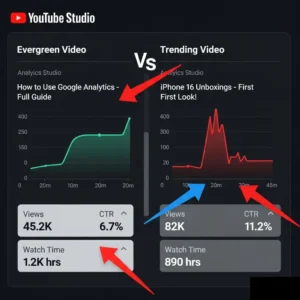
Trendy topics bring quick attention, but evergreen videos keep growing for months or even years. The best channels make a mix of both.
- Evergreen videos: Tutorials, “how‑to” guides, and product reviews that stay useful.
- Trend videos: New topics, challenges or events that people search for right now.
Balancing the two means your channel gets quick growth from trends and steady views from evergreen content. Analytics help you see which evergreen videos bring in viewers over time.
Beginner Tips
- Start with Trends Tab: Learn what your audience searches for.
- Use Explore Charts: Choose relevant trending topics.
- Focus on basics: Pay attention to watch time, how often people click your videos and how long they keep watching.
- Experiment regularly: Test formats and track performance.
- Stay consistent: Post often and review analytics weekly.
The Future of Trends and Analytics
Expect more personalized charts and AI-driven insights that help creators understand audiences better. Creators who track trends early and adjust content quickly will keep growing steadily.
FAQs
1. How often should I check analytics?
At least weekly; daily if you post trending content.
2. Can small channels grow with trends?
Yes. Timely, relevant videos can quickly boost visibility.
3. What’s the key metric for growth?
Watch time and retention, they reveal viewer satisfaction.
4. Are external tools necessary?
They help with forecasting, but YouTube Studio covers most needs.
5. What’s the “Inspiration” tab?
It suggests trending topics tailored to your audience.
6. Why measure Shorts “Engaged Views”?
To focus on meaningful interactions, not quick swipes.
7. How do I know if a trend fits my channel?
Pick trends that align with your niche and viewer interests.
8. Can data-driven changes grow subscribers?
Yes, optimizing based on analytics leads to natural growth.
Final Thoughts
Growing on YouTube takes more than uploading videos. By making it a habit to track YouTube trends and analytics updates today, you’ll know which topics attract viewers and how to keep them engaged.
Stay consistent, act on insights and create original content that your audience loves. That’s the path to sustainable YouTube growth in 2025 and beyond.